

Case study

ChefSphere: the app couples use to decide dinner together
You and your partner swipe recipes. When you both like one, it's a match. ChefSphere then plans your week and writes the grocery list. I co-founded it and built the whole platform myself.
Swipe. Match. Plan. Shop.
- My roleCo-founder & CTO
- SinceJuly 2024
- PlatformsiOS, Android and web
- CompanyChefSphere OÜ, Tallinn, Estonia




"What do you want to eat?" Every single evening.
Two people, two tastes, one dinner. Deciding takes longer than cooking, the week is never planned, and the shopping trip ends with something missing. ChefSphere turns that nightly debate into a quick, shared decision.
Deciding together is slow
One person suggests, the other hesitates, and dinner ends up being the same three meals again.
The week is never planned
Without a plan, every day starts from zero. Good intentions lose to takeaway.
The shopping list comes last
Ingredients get forgotten, bought twice or never used. The list should write itself from the meals you chose.
What I built
One app, three jobs: decide, plan, shop
The screens below are from the live app. Each part runs on the same platform: the mobile app, the web app and the APIs behind them.
Swipe & match
Swipe recipes, match with your partner
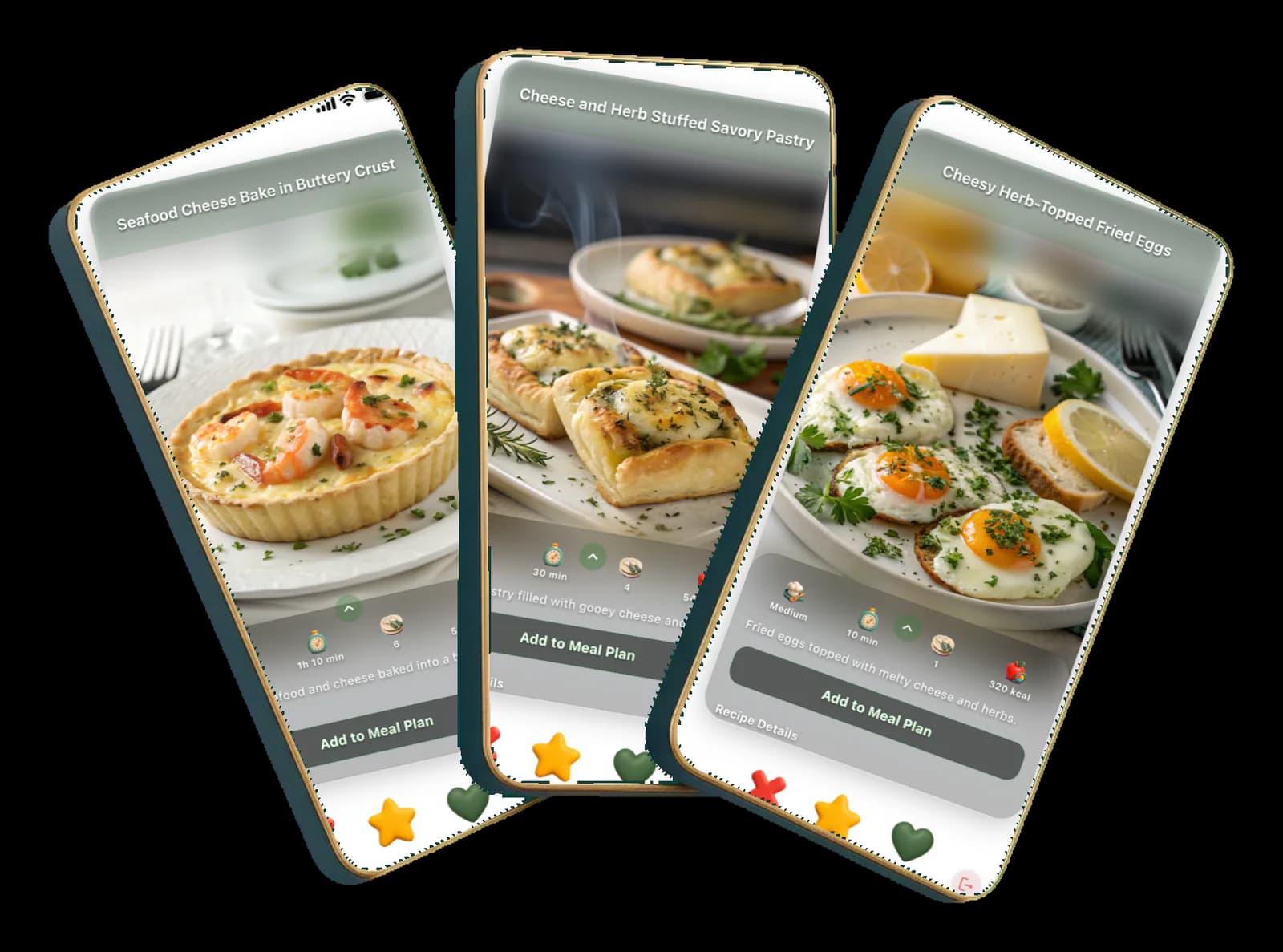
Each partner swipes through recipes with a photo, difficulty, time and calories. When you both like the same one, it's a match and it goes straight into the plan.
- Clear recipe cards with the facts that matter
- A like from both of you is a match
- Add any recipe to the meal plan in one tap
Screens from the Swipe & match feature
- ChefSphere swipe screen: a recipe card for a seafood cheese bake with difficulty, cooking time, servings and calories, and buttons to skip, favourite or like
- ChefSphere swipe screen: a recipe card for a cheese and herb stuffed savoury pastry with an 'Add to meal plan' button
- ChefSphere swipe screen: cheesy herb-topped fried eggs, a quick recipe card with cooking time and calories
Plan the week
A meal plan for today and the week ahead
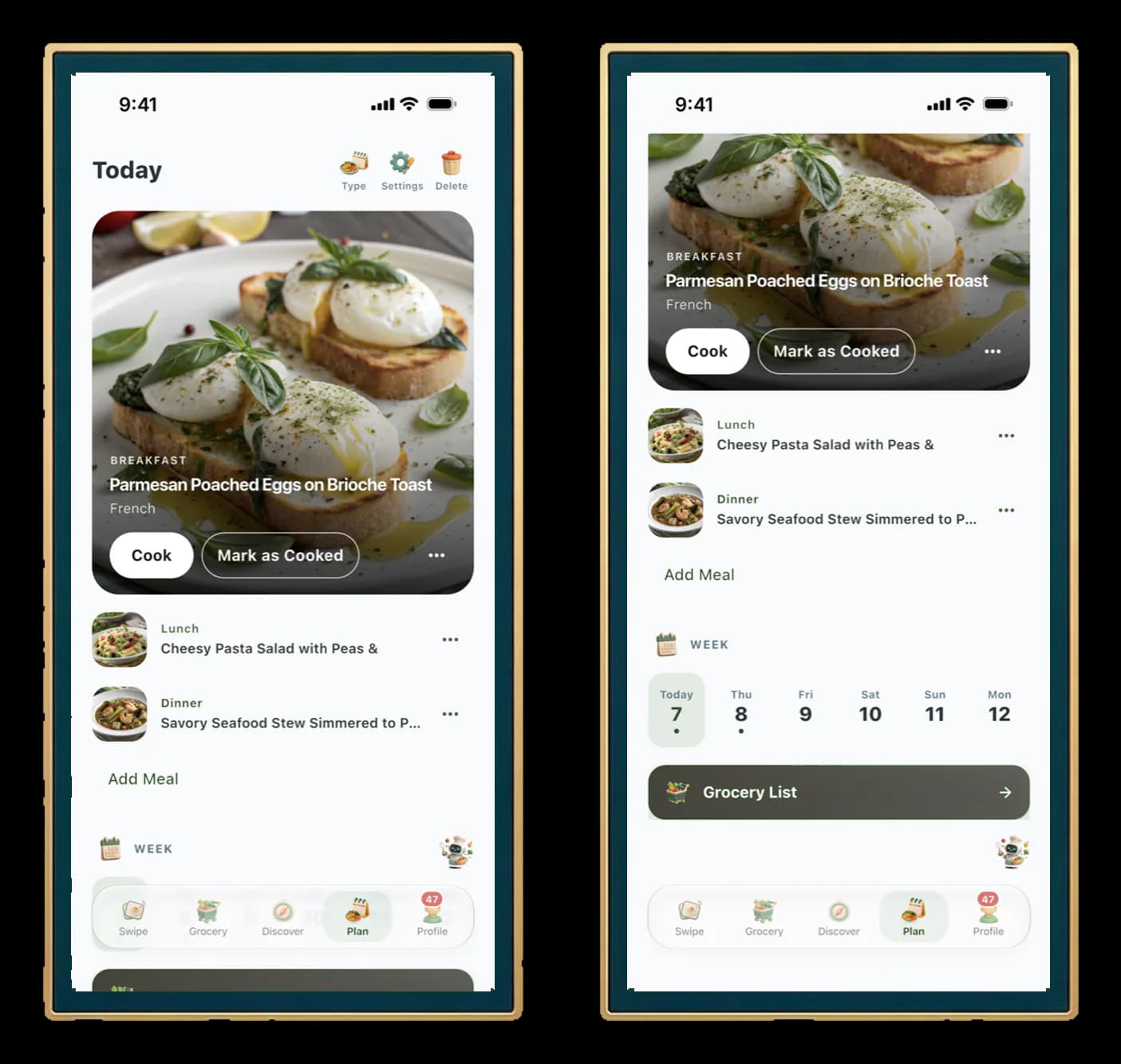
Breakfast, lunch and dinner for each day, with a week strip to jump between days. Start cooking from the plan, or mark a meal as cooked and move on.
- Today's meals at a glance
- Week view to plan ahead
- One tap from the plan to the grocery list
Screens from the Plan the week feature
- ChefSphere plan screen for today: a breakfast card with 'Cook' and 'Mark as cooked' buttons, followed by the lunch and dinner entries
- ChefSphere plan screen scrolled to the week strip with the days of the week and a 'Grocery list' button
Grocery list
A grocery list that writes itself
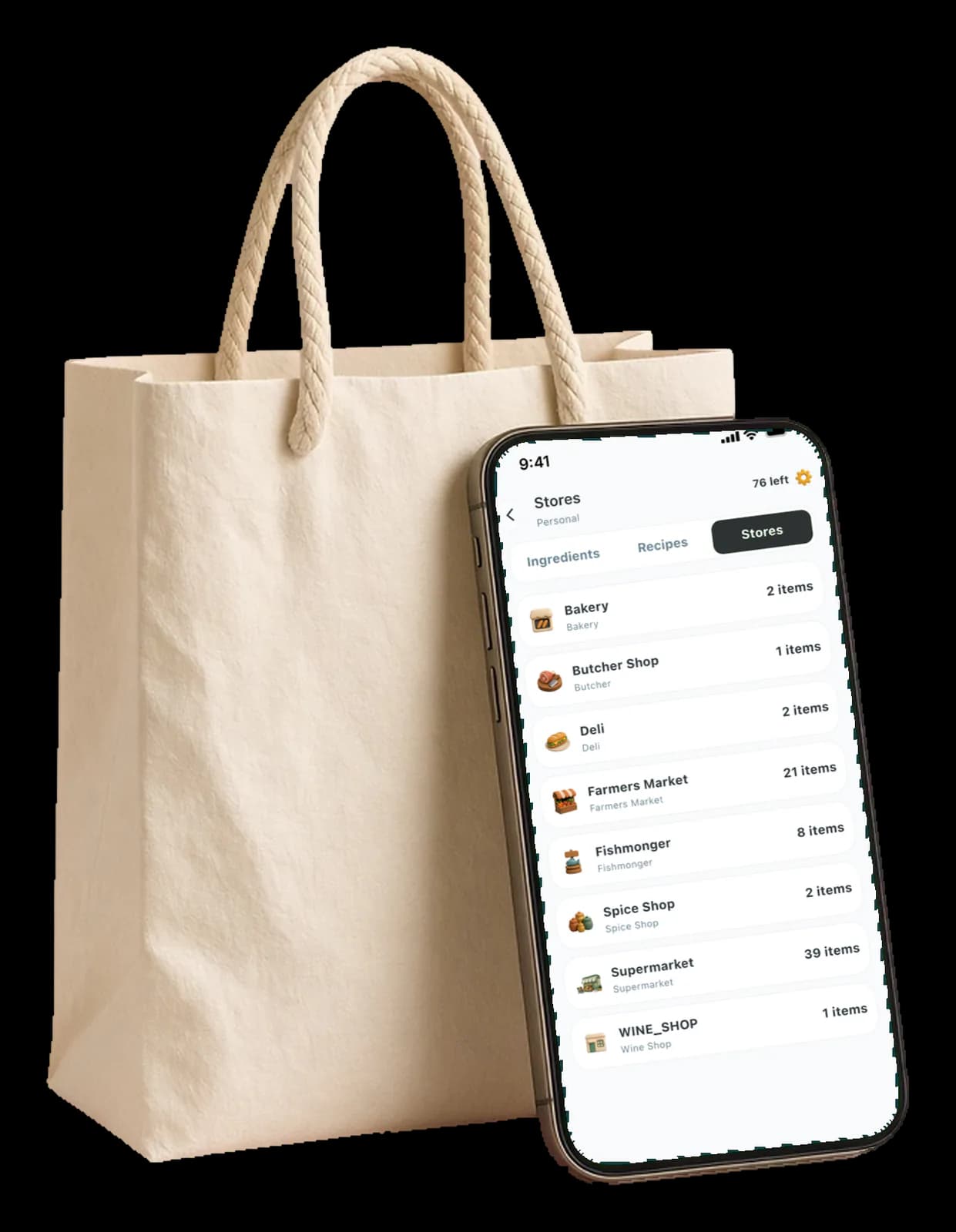
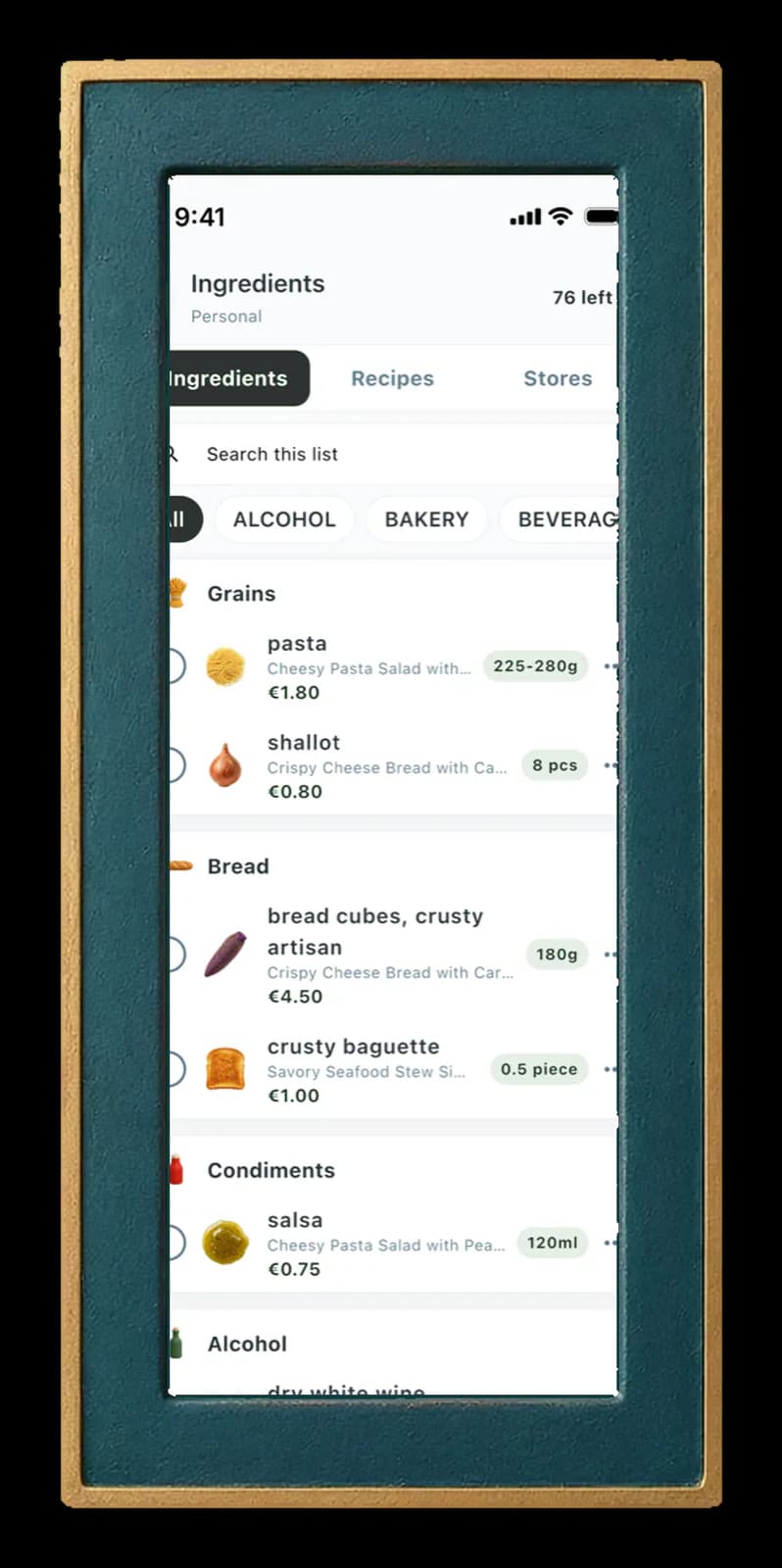
Every planned meal adds its ingredients. The list groups them by category and by store, so the shopping trip is one pass with nothing missing.
- Ingredients grouped by category
- Sorted by store: bakery, butcher, supermarket
- Tick items off while you shop
Screens from the Grocery list feature
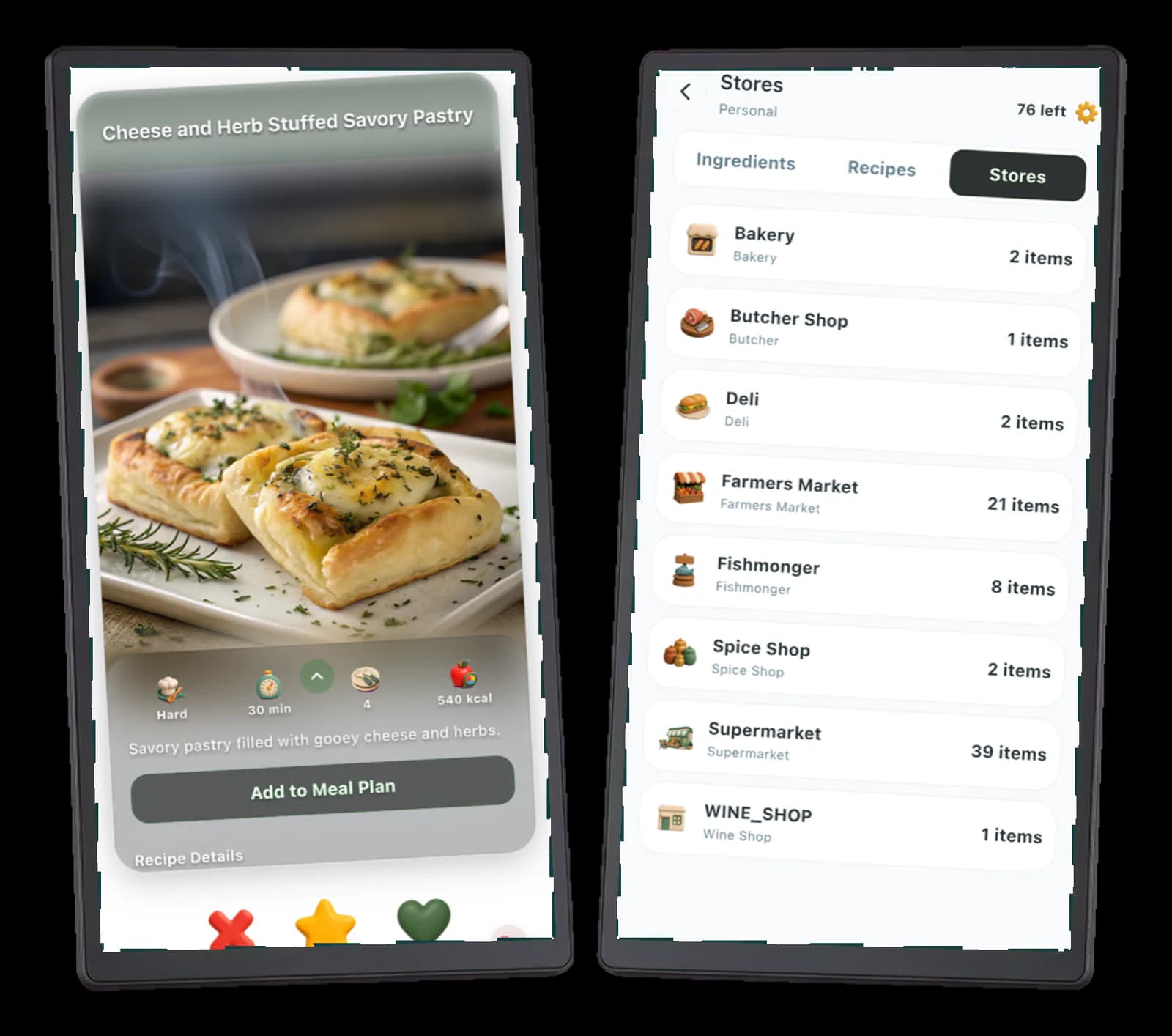
- ChefSphere grocery list grouped by store, with bakery, butcher, deli, farmers market and supermarket entries
Screens from the Grocery list feature
- ChefSphere grocery list grouped by ingredient category, each item with its quantity and the recipe it belongs to


Built end to end by one engineer
I designed and built every layer, and I run it in production. This is the same way I work on client projects.
Mobile app
Flutter app for iOS and Android: swiping, matching, meal plan and grocery list, all synced between partners.
Web platform
Next.js web: the public site, user accounts and the marketplace.
Backend APIs
NestJS services for authentication, payments, background jobs and real-time updates.
AI features
Multi-provider LLM integrations, RAG over the recipe data, vector search and guardrails, so answers stay safe and on topic.
Infrastructure
Self-managed Kubernetes with PostgreSQL, Redis and Docker. Deployments, monitoring and backups included.
Internal tools
Admin tools for content, support and operations, so day-to-day work needs no developer.
Stack
- TypeScript
- Flutter / Dart
- Next.js
- NestJS
- PostgreSQL
- Redis
- Vector search
- LLM & RAG
- Docker
- Kubernetes
The same engineer, on your project
Everything above was built by the person you would talk to. No handovers, no account managers.
For startups and SMEs
AI features over your data, production backends, mobile apps, or a part-time senior developer who has shipped all of it before.Show me the AI & app offerFor small businesses
A fast, simple website or online shop with the same engineering care, for one monthly price and a 0 € setup fee.Show me the website plans


Want something built with the same care?
A few lines about your product or your business are enough. I reply personally.